





What is an Eventi Organiser?
An Organiser on Eventi is a verified account that lets you list events on our discovery platform and build a community around your brand. Unlike traditional ticketing platforms, Eventi focuses on discovery and social connection—helping people find your events and connect with each other.
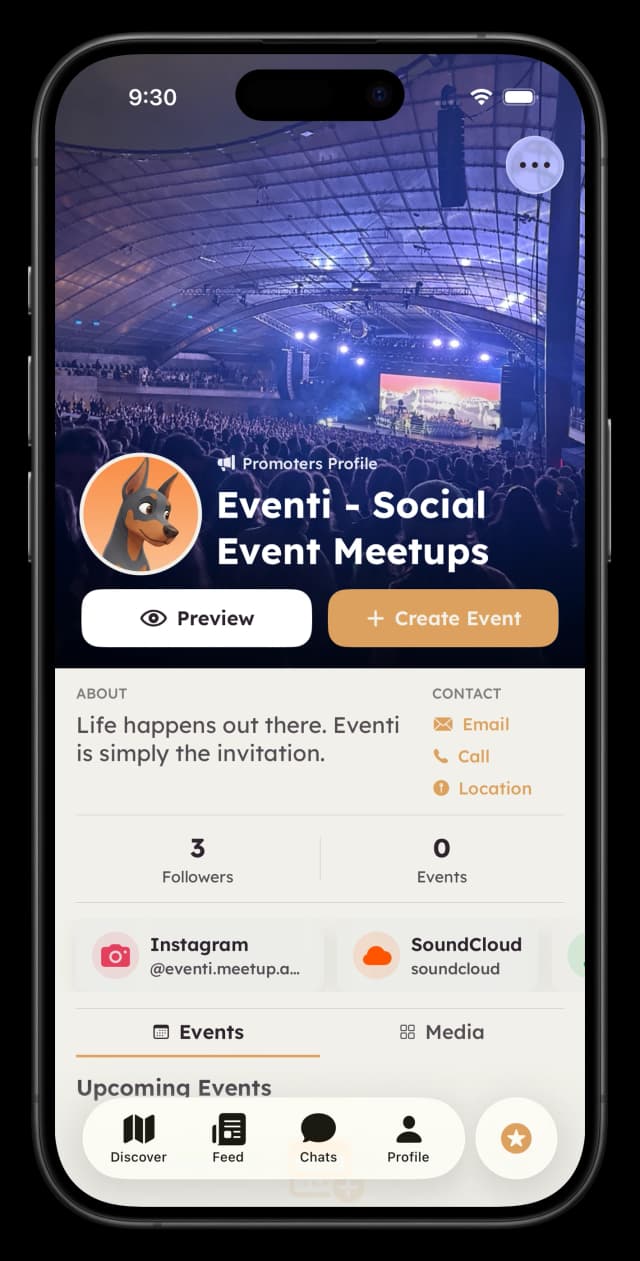
Discovery
Your events appear on our interactive map where users actively browse for things to do.
Community
Build a follower base and create a community chat where your audience connects.
Credibility
Get a verified badge that shows users your events are legitimate.
Flexibility
Link to your own ticketing—Eventbrite, Humanitix, or your website.
Organiser Types
Eventi supports different types of event organisers. Choose the one that best describes what you do:
| Type | Best For |
|---|---|
| Promoter | Curated events, club nights, hosted parties |
| DJ | DJ sets at clubs, parties, or live events |
| Musician | Solo artists, singer-songwriters |
| Band | Live band performances |
| Producer | Producer showcases, beat battles |
| Comedian | Stand-up, improv, comedy shows |
| Performer | Dance, theatre, circus, live art |
| Social Club | Group activities, hobby meetups, communities |
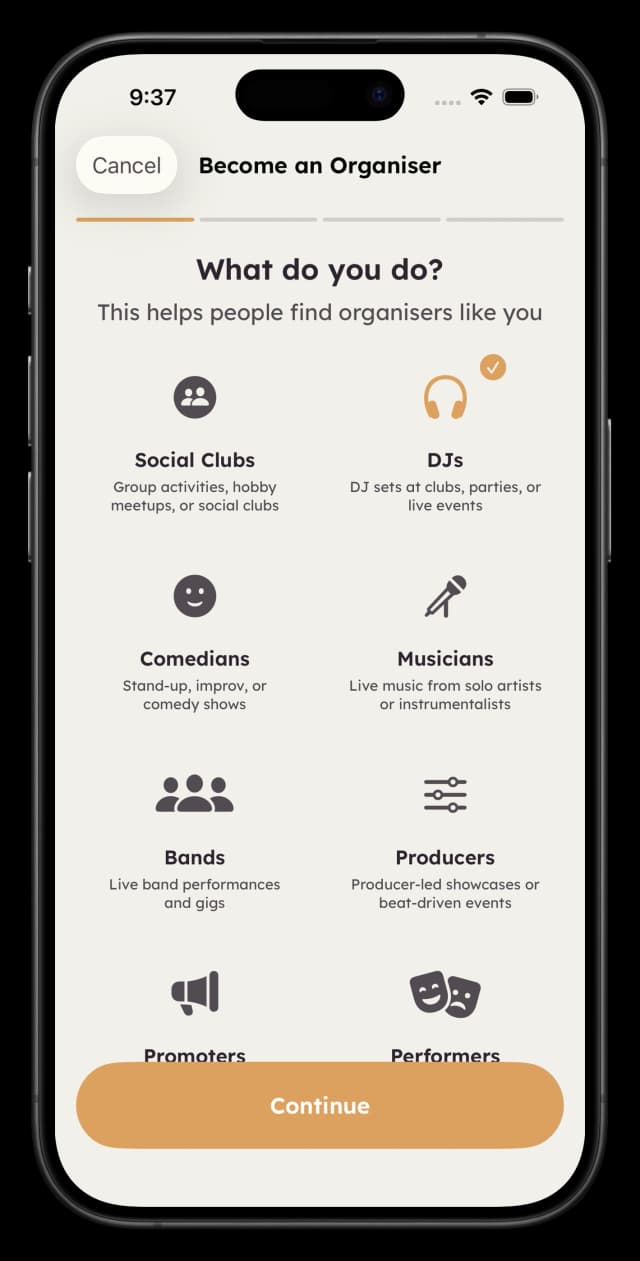
One profile per account
You can only create one organiser profile per user account. Choose the type that best represents your primary activity.
The Application Process
Becoming an organiser takes about 5 minutes. Here's what to expect:
Choose Your Type
Select the category that best describes your work (Promoter, DJ, Musician, etc.). This determines how you're displayed to users.
About You
Tell us about yourself:
- • Name (required) — Your stage name, brand, or club name
- • Contact email (required if not on your account)
- • Bio (optional) — What you're about
- • Tags/Genres (optional) — Up to 5 style descriptors
Your Links
Add your social profiles (all optional):
- • Instagram handle
- • SoundCloud profile
- • Spotify artist link
- • Website URL
Review & Submit
Check everything looks right, then submit. You'll receive a notification within 1-2 business days with the outcome.
Welcome
About You
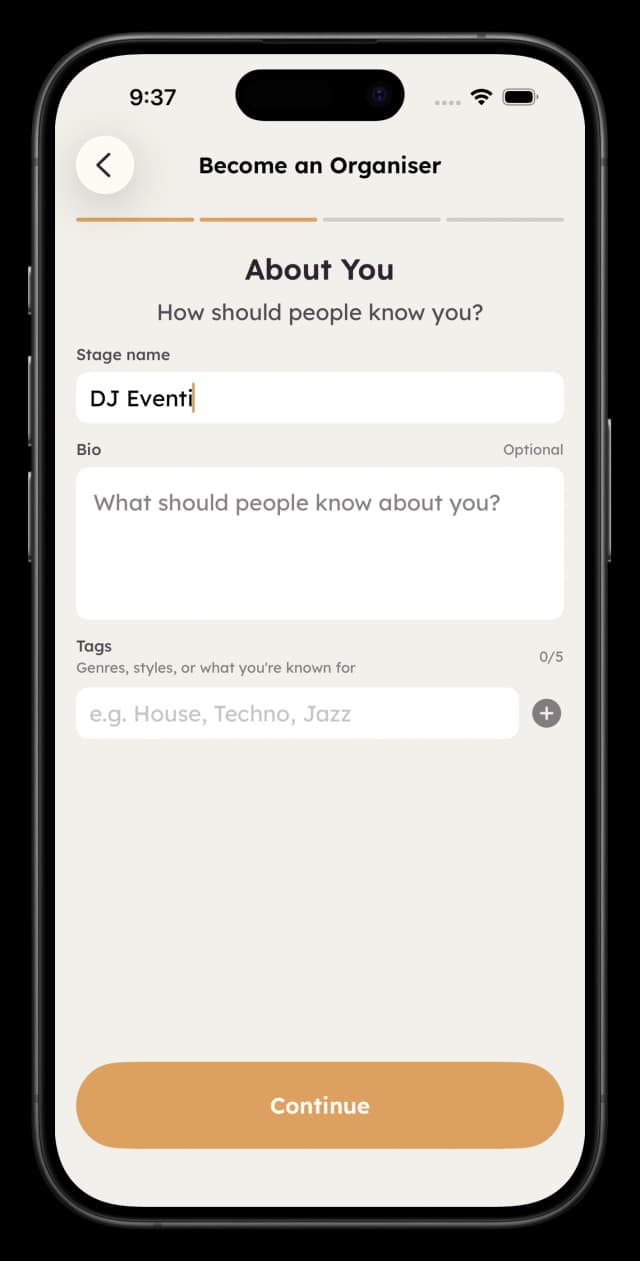
About You
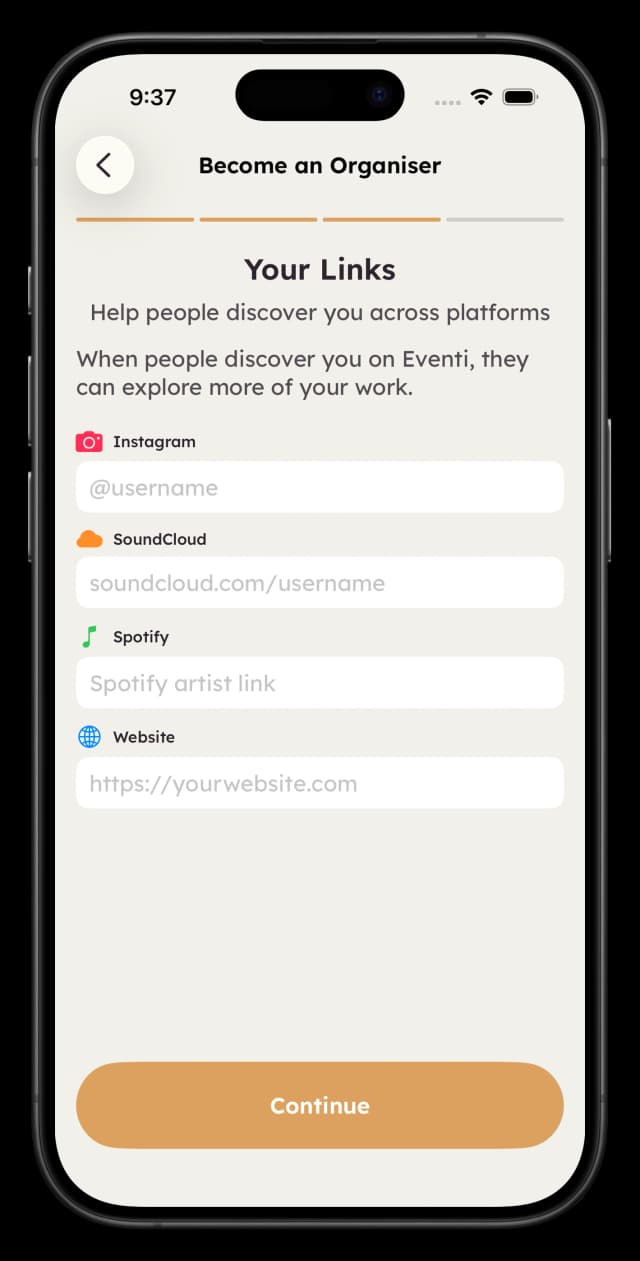
Social Links
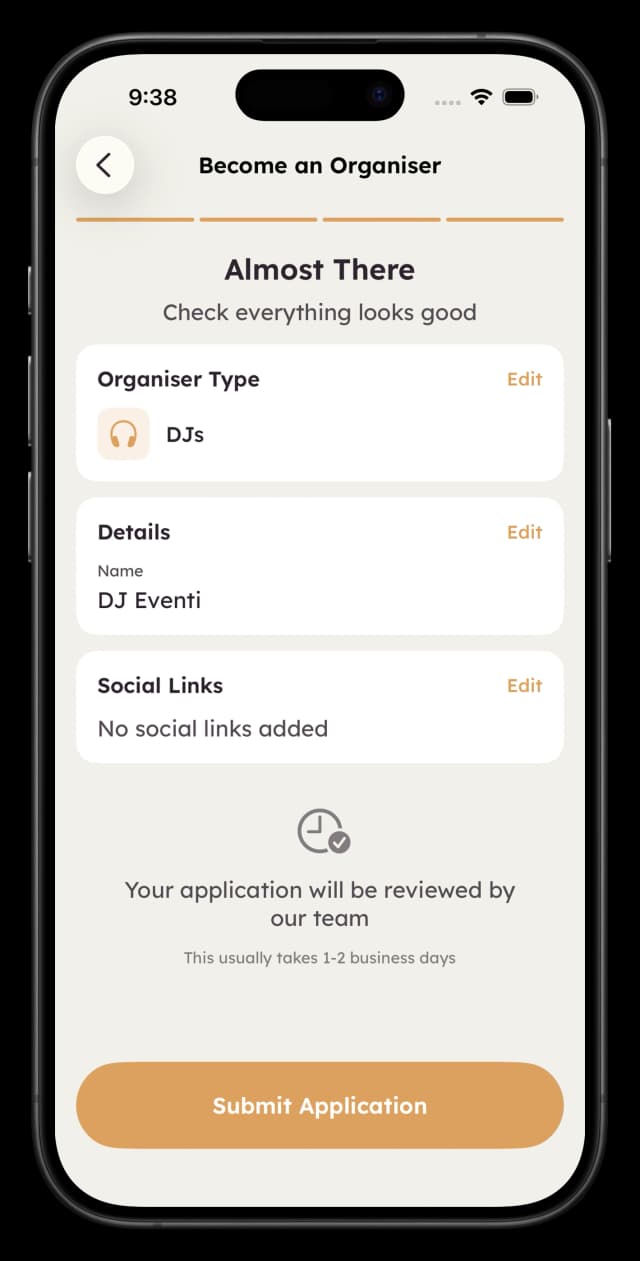
Review
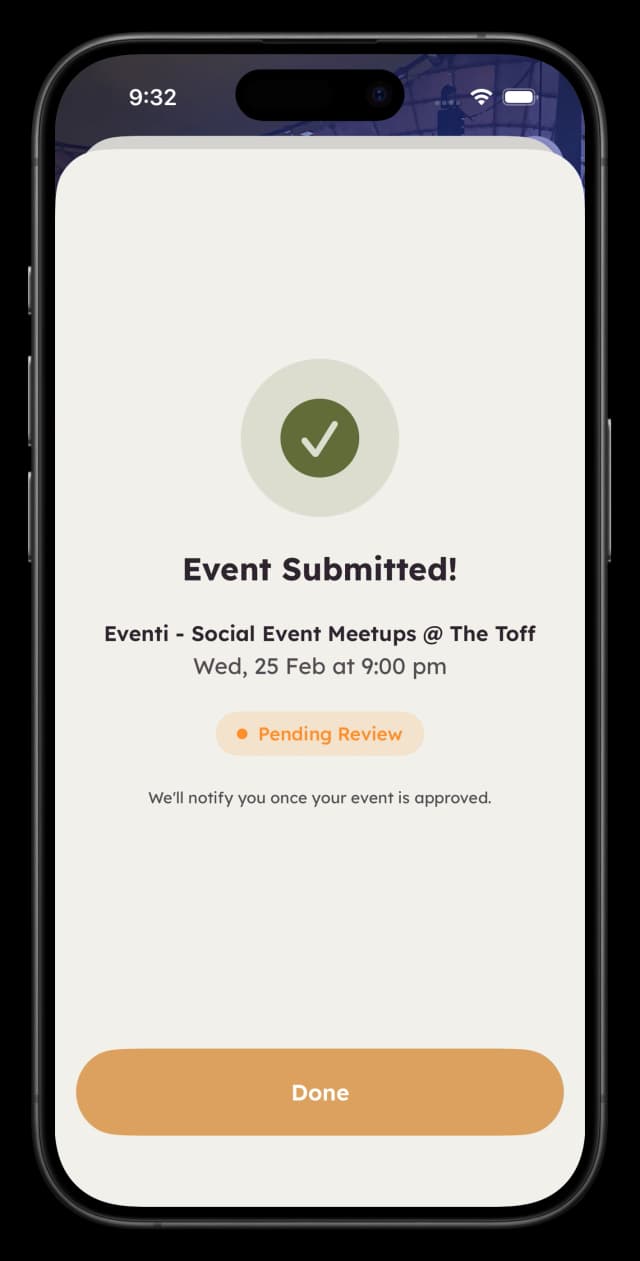
Submitted
Application Statuses
- Pending: Under review
- Approved: Full access — you can create events
- Rejected: Not approved (contact support for details)
Creating Your First Event
Once approved, you can create events from your Organiser Hub. Events go through a brief review before appearing on the map.
Required Information
| Field | Details |
|---|---|
| Cover Image | Required — the main visual for your event |
| Title | Minimum 3 characters |
| Description | Minimum 20 characters |
| Date & Time | Must be in the future |
| Venue | Search or select from recent venues |
Optional Details
- •Ticket URL: Link to your ticketing page (Eventbrite, Humanitix, your website, etc.)
- •Pricing: Min/max price range to help users know what to expect
- •Vibes: Mood tags to help the right audience find you
- •Audience settings: Gender mix, age range, capacity
Step-by-Step Event Creation
Step 1: Set your event date, time, and venue
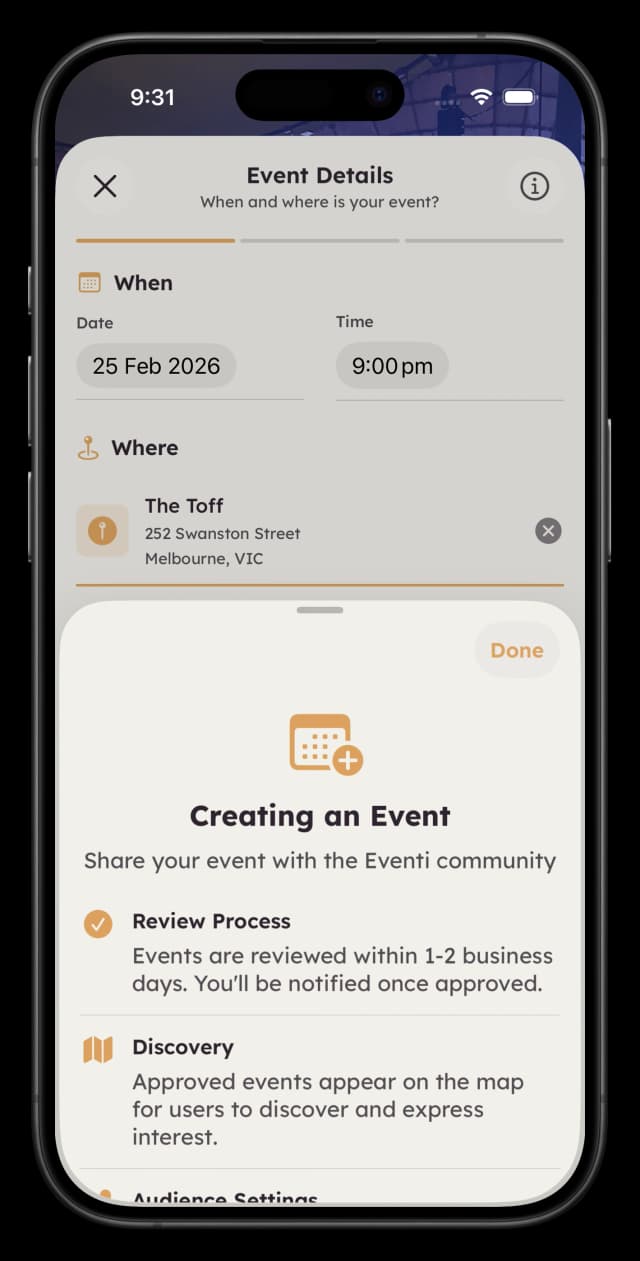
Guidelines
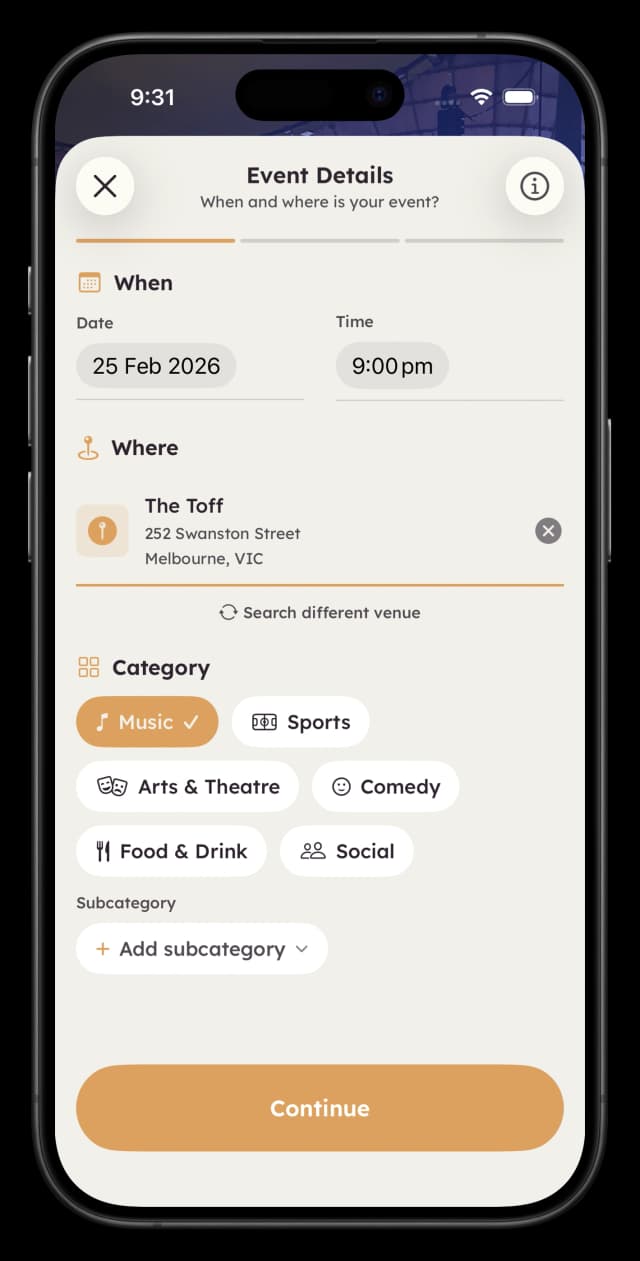
Details
Step 2: Add your cover image, title, description, and optional settings
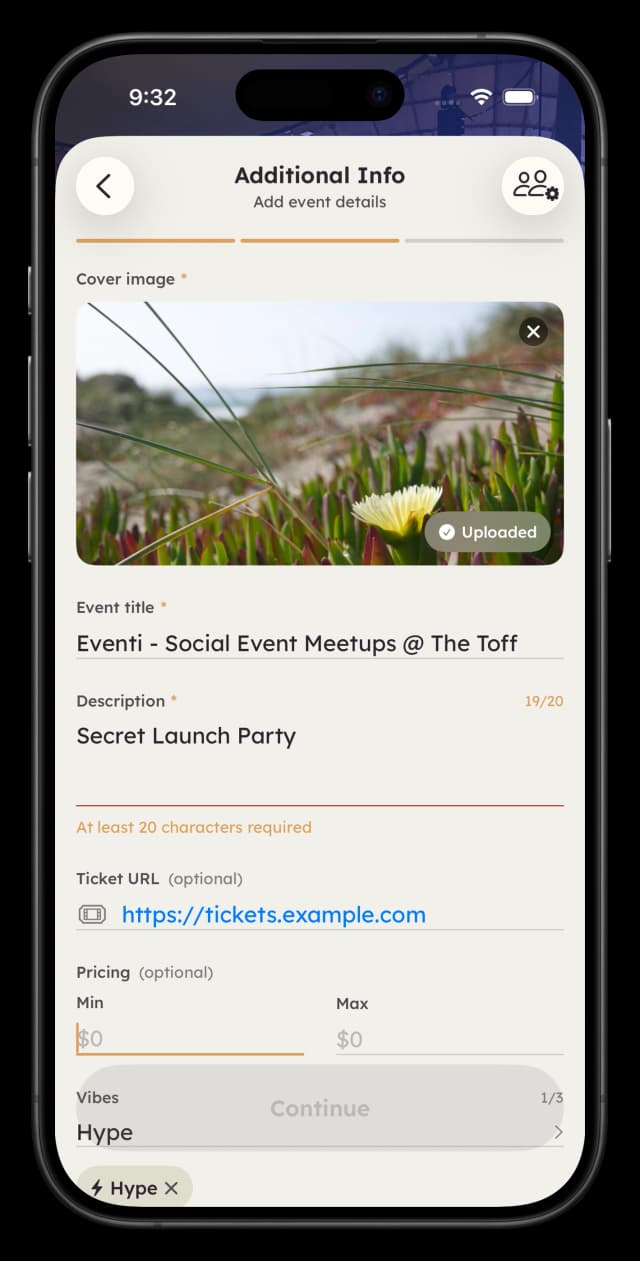
Event Info
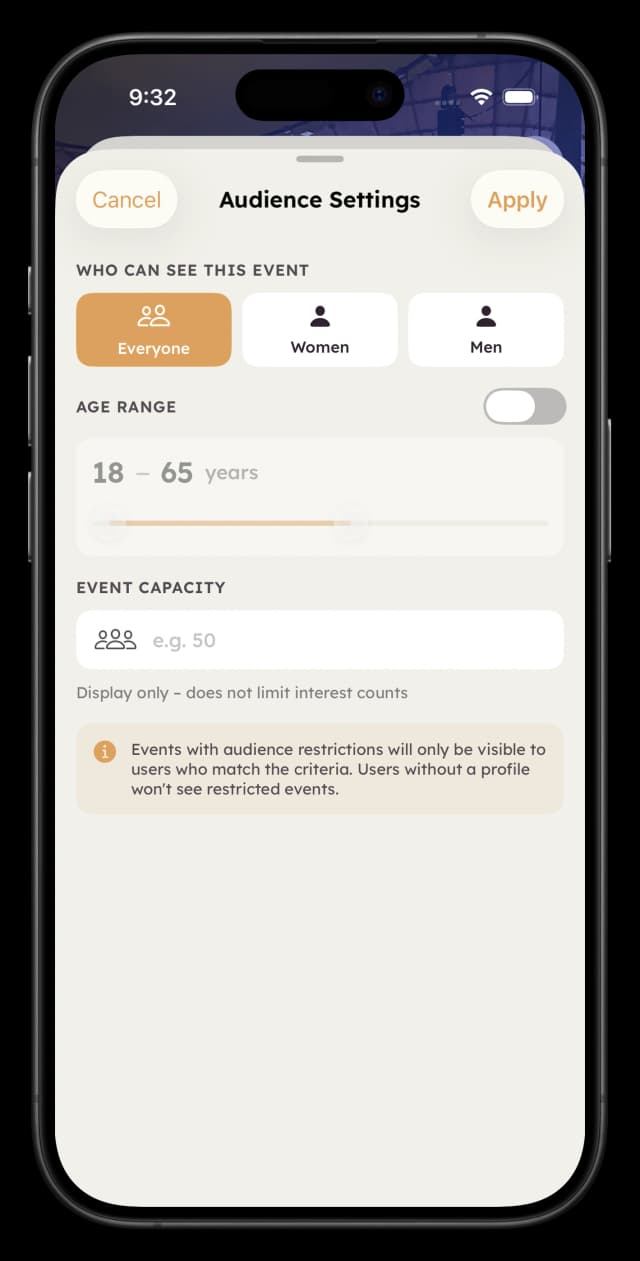
Audience Settings
Step 3: Review everything and submit for approval
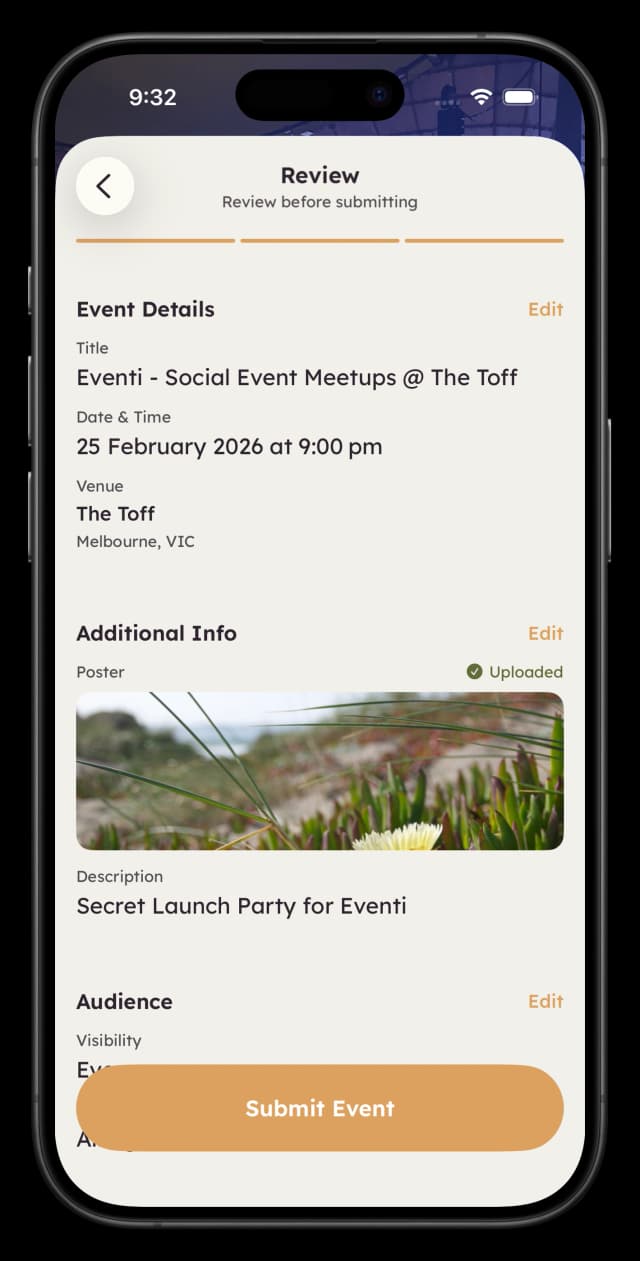
Review & Submit
Event Review
All events are reviewed before going live (typically 1-2 business days). Events can only be edited while pending. Once approved, contact support if you need changes.
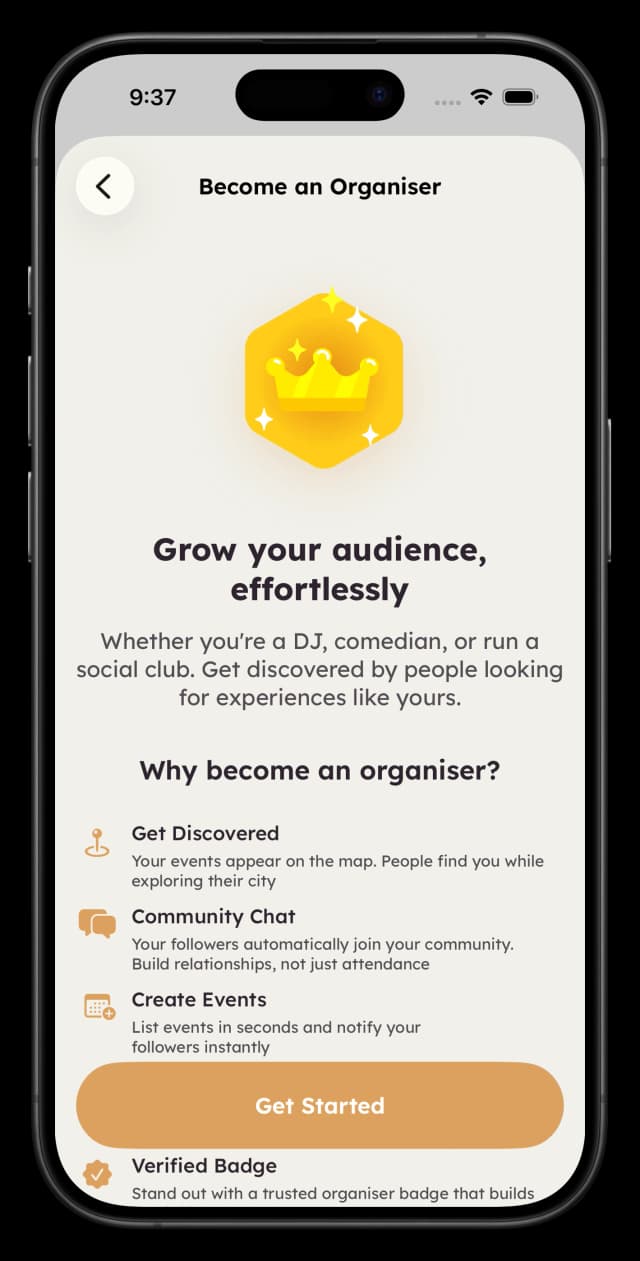
What You Get as an Organiser
Map Discovery
Your events appear on Eventi's interactive map where users browse for things to do. Category and date filters help the right audience find you.
Follower System
Users can follow your organiser profile. Followers receive automatic notifications when you create new events.
Community Chat
Create a group chat where your followers can connect. Announce updates, build hype, and keep your community engaged between events.
Verified Badge
Stand out with a credibility indicator that shows users your events are legitimate.
Organiser Hub
Your dashboard for managing events, viewing analytics, and editing your profile. See upcoming, pending, and past events all in one place.
Organiser Hub
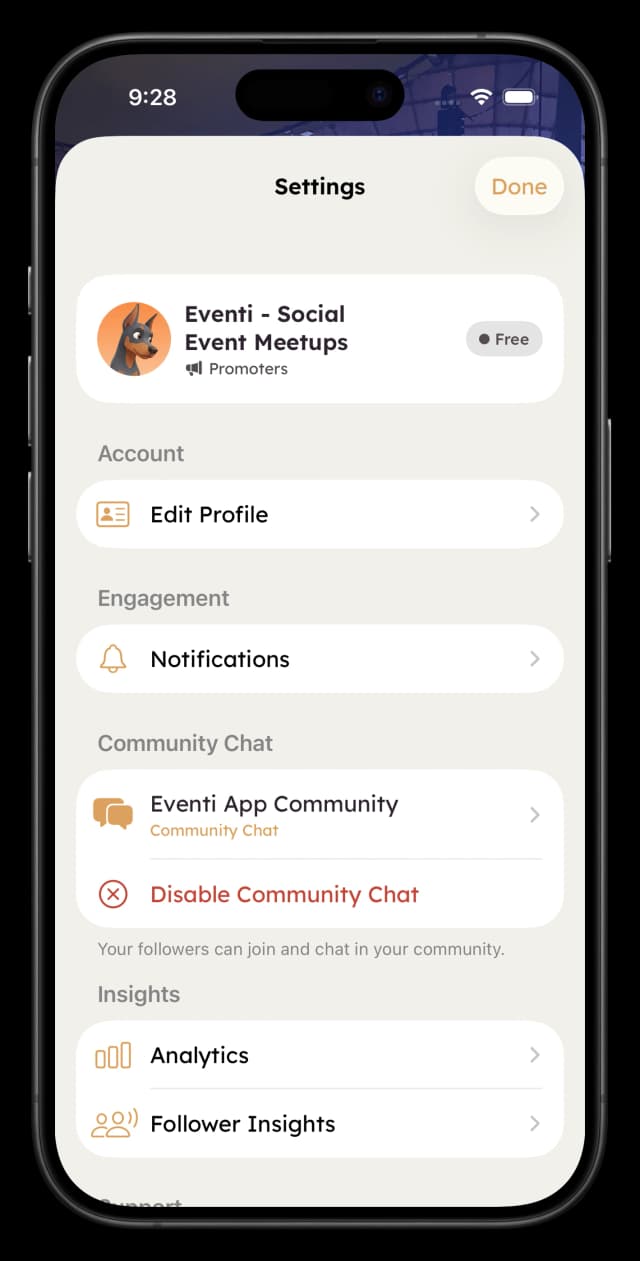
Settings
Tips for Success
Use High-Quality Cover Images
Your cover image is the first thing people see. Use clear, visually appealing images that represent your event. Avoid text-heavy graphics.
Write Clear Descriptions
Tell people what to expect. What's the vibe? Who's performing? What makes this event worth attending? Be specific and honest.
Engage Your Community
Use your community chat to build relationships, not just promote. Share behind-the-scenes content, respond to questions, create value.
Be Consistent
Regular events build habit. "Every first Friday" is easier to remember than random dates. Consistency builds a loyal following.
Cross-Promote
Share your Eventi profile link on Instagram, in your email signature, and on other platforms. The more followers you build, the more reach each new event gets.
Frequently Asked Questions
How long does the organiser application take to review?
Applications are typically reviewed within 1-2 business days. You'll receive a notification in the app once your application has been reviewed.
What types of organisers can apply?
Eventi supports promoters, DJs, musicians, bands, producers, comedians, performers, and social clubs. Each type has tailored features.
Do events go live immediately after I create them?
No, all events go through a brief review process (1-2 business days) before appearing on the map. This ensures quality for users.
Can I link to my own ticketing platform?
Yes. Eventi is a discovery platform, not a ticketing platform. You can link to Eventbrite, Humanitix, your own website, or any other solution.
Is there a cost to become an organiser?
Currently, all organiser features are available to approved organisers at no cost. This may change in the future, but existing organisers will be notified of any changes.
Can I edit an event after it's approved?
Events can only be edited while in "Pending" status. Once approved, contact support if you need to make changes.